Quote Before Your Client Loses Interest

Connect your favourite AI tools ChatGPT Claude with TBO

WHAT YOUR AI TOOLS CAN DO

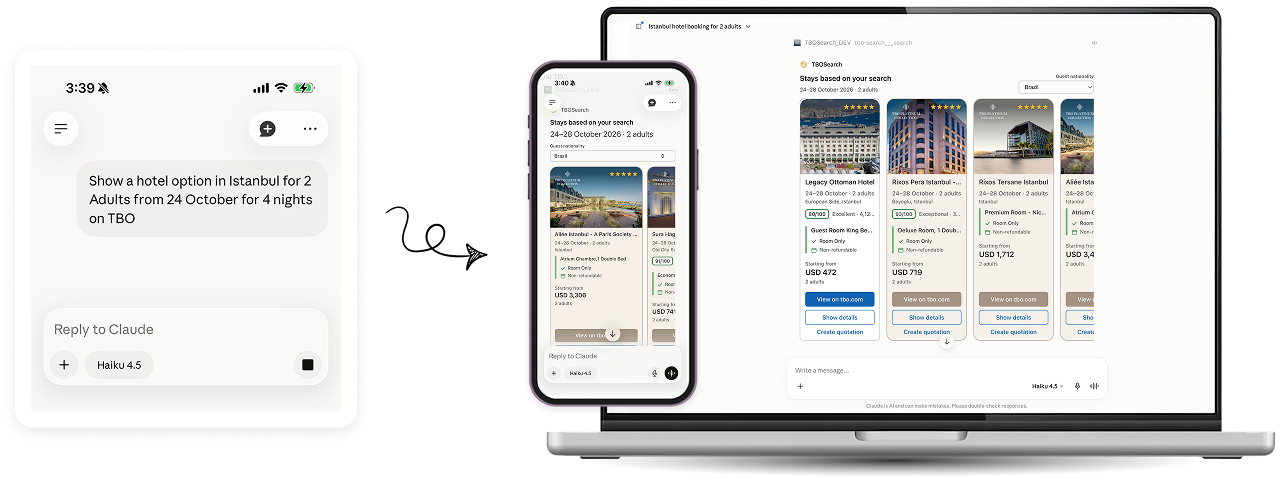
Build a multi-city itinerary without opening TBO

Try this prompt:

"Help me create a 7-day itinerary to Japan for my clients travelling from Dubai from 19 October and show hotel options from TBO"
Find the perfect stay near any location

Try this prompt:

"Which 5-star hotels on TBO are within 1km walking distance from the Eiffel Tower in Paris for 2 adults, 3 nights from 20 October?"

Compare instantly

Try this prompt:

"My client is traveling to New York for a work trip from November 6 - 13. Find hotels with a budget of USD 200 per night on TBO. He's travelling alone."

Send quotes in minutes

Try this prompt:

"Show hotels in Dubai on TBO for 2 nights from 21st October for 2 adults and create a quote"

Never retype a request 

Try this prompt:

"Check email from (Your client name) and show hotel options in TBO"

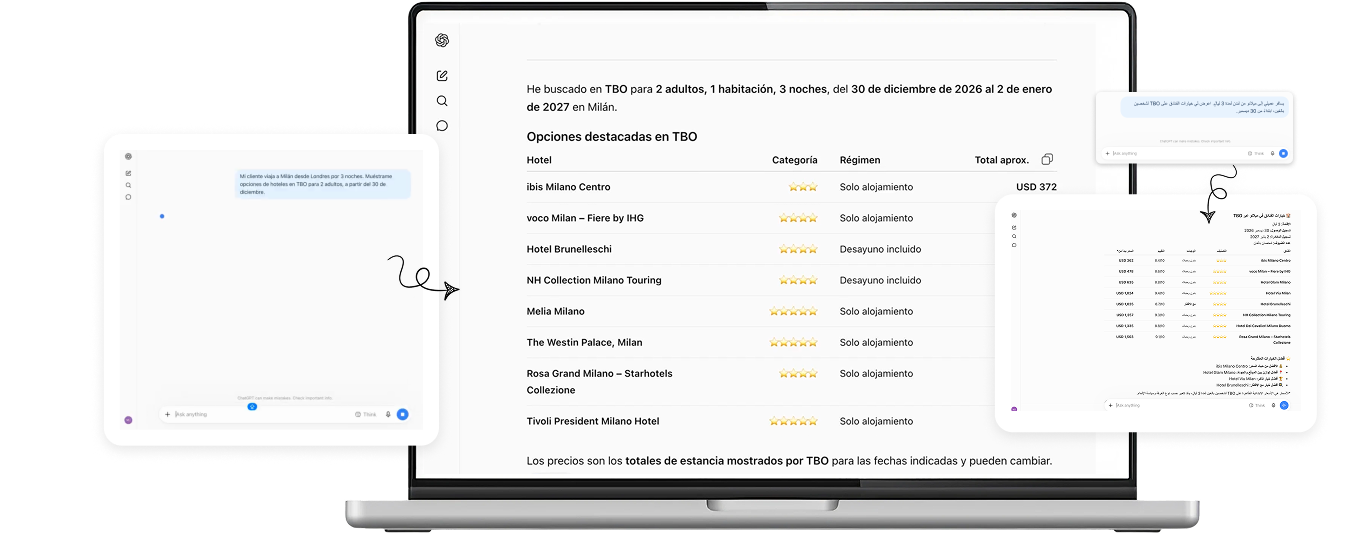
Search from anywhere and in any language

How it works

Four simple steps

Connect Claude

Link your Claude account to TBO. Two minutes, no IT ticket required.

Type like you'd talk to a colleague

"Find 3 hotels near downtown Milan for 2 adults, 3 nights." No commands, no syntax to learn.

Claude and TBO do the legwork

Claude reads the request. TBO returns live hotels, rates, and availability. You don't touch a search form.

Quote goes out

Pick a hotel, the quote's already built. Send it to your client.

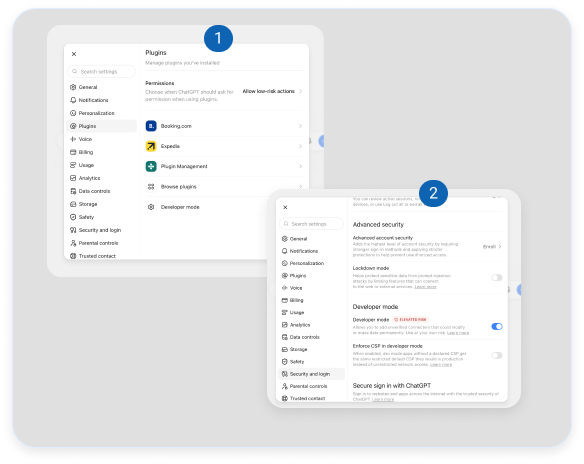
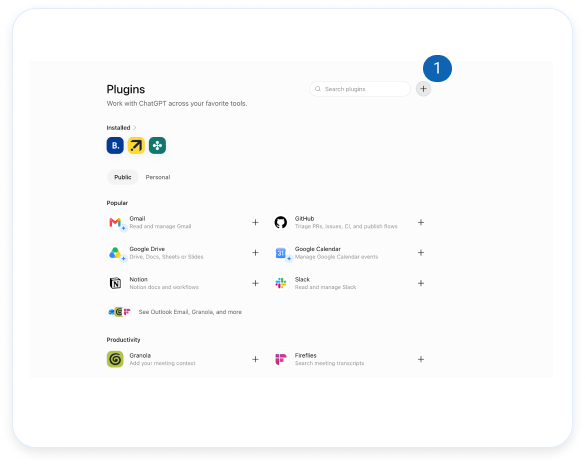
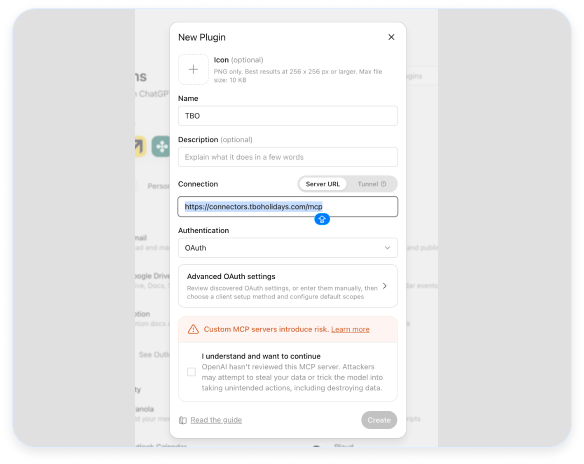
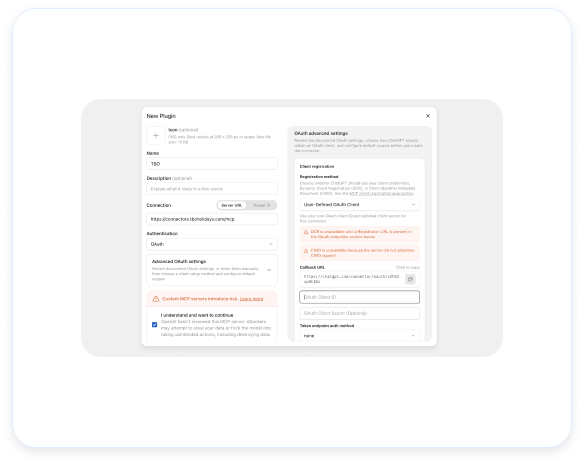
Connecting to the TBO Search Connector

A simple step-by-step

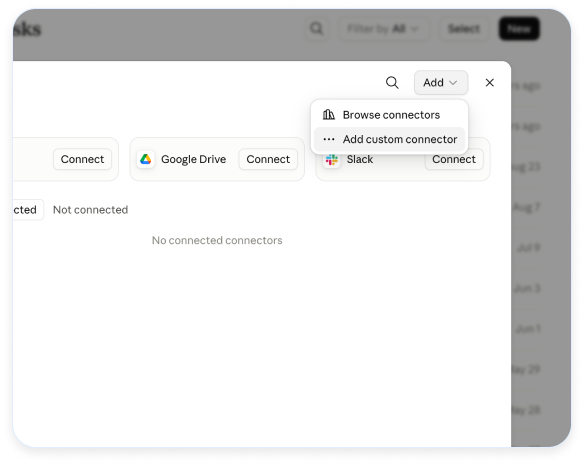
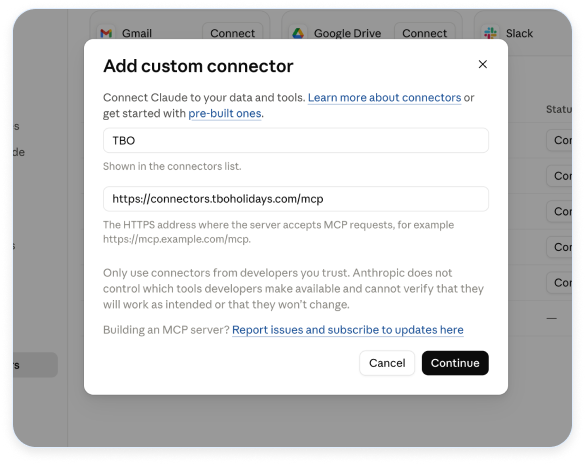
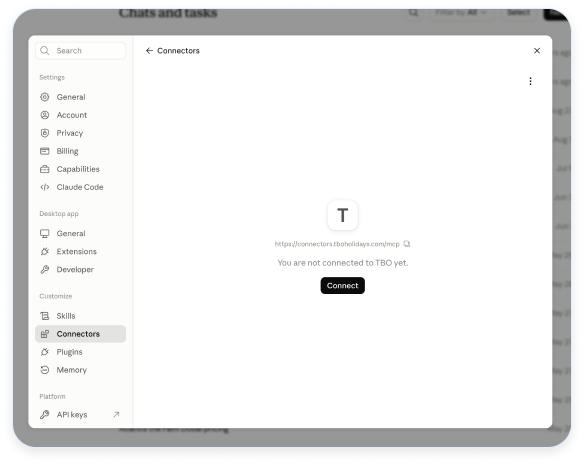
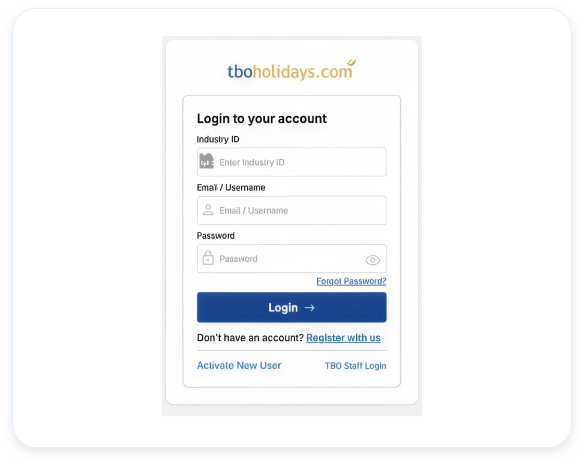
Connecting on Claude

Follow these 6 easy steps. Screenshots are included so you know exactly what to look for.

Answer Client Requests While They're Still on the Line

Email to hotel options to quote-all in one prompt. No retyping, no manual work, no delays.